
BUSINESS IDENTITY • RISK • TRUST

Know your partner. Move forward with confidence.

Check the company and who is really contacting you. ZENVIQ helps you compare company, contact and digital data, identify inconsistencies and spot potential signs of fraud before you decide to work together.


ILLUSTRATIVE REPORT
Partner overviewExample
W
Westbridge Demo LtdUnited KingdomCompany profile
Confirmation recommendedOne contact needs confirmation
Company identity
Checked
Contact details
Review
Digital trust
Checked

The company may be real. The contact may not be genuine.

Company identityContact consistencyDigital identityReputation signals

See what a standard company check does not show.

ZENVIQ connects company, contact, digital and reputation data from different sources, flags inconsistencies and helps assess potential risk signals.

Explore solutions
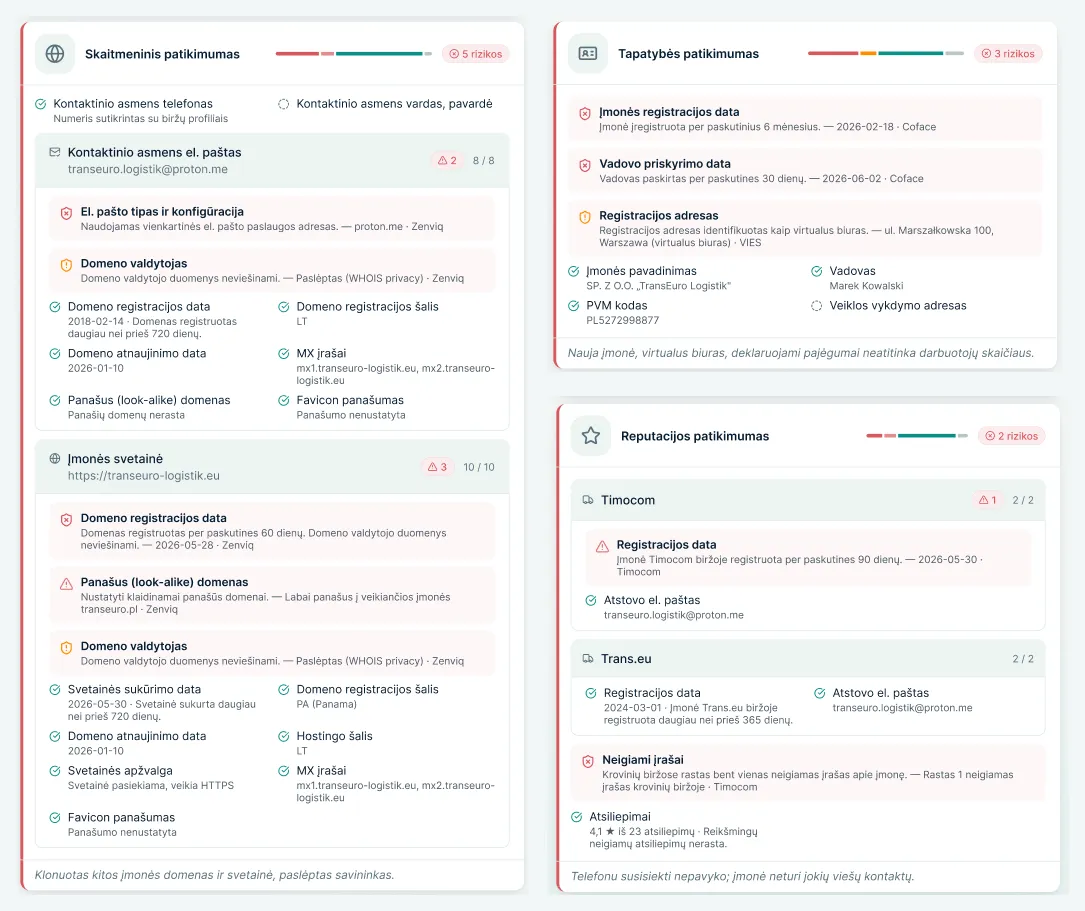
A sample ZENVIQ check report showing the results for company identity, contact details, digital data and reputation.
ZENVIQ product interface

From the details you provide to a clear risk assessment.

See the full process
  1. 01

    Enter the details

    Enter the company you want to check and the contact details of the person communicating with you.

  2. 02

    ZENVIQ runs the check

    The data is cross-checked using different sources to identify identity mismatches and potential fraud risk indicators.

  3. 03

    Assess the result

    Review the identified inconsistencies, risk signals and check results before deciding to work together.

More clarity before you decide.

Check before you start working together.

Start a business partner check or see how ZENVIQ works in a demo.

Start a checkBook a demo

More clarity for your next decision.

Find out how ZENVIQ can help your team.

LET'S TALK

See how ZENVIQ works.

Tell us a little about your team and what you would like to discuss.

INTERACTIVE EXAMPLE

Get a clearer picture.

Try a sample partner check. Choose a scenario and view the results.

The companies and results are fictional and used for demonstration. No actual check is performed.

Zenviq

Your ZENVIQ workspace.

Your account and partner checks are available on the ZENVIQ platform. You can also view a sample report here to see how results are presented.

Your privacy preferences.

Your preferences are saved on this device. Analytics stays off unless you allow it. When enabled, Google Analytics measures page views, clicks to start a check and successful demo requests. It does not receive form data. We do not use marketing cookies.

WEBSITE INFORMATION

Read how this website handles your information and how the examples relate to the ZENVIQ service.